Interactive AI hardware
Review readable prompts, device status and touch controls around the product workflow.
BINTU / AI & ROBOTICS APPLICATIONS
Give connected hardware a clear visual interface. BINTU can support OLED selection and integration review for device expressions, status information and touch interaction.
Display roles in AI hardware
Define the display role before choosing a panel. Expressions, task information and interaction can require different sizes and front structures.
Review readable prompts, device status and touch controls around the product workflow.
Consider visual expressions, notifications and personal interaction within the intended viewing distance and enclosure.
Plan operation states, task progress and local controls around the operator. Define safety-critical indications separately within the system requirements.
Start with what the screen needs to communicate. Eyes and expressions, task information and operator controls can require different display sizes, layouts and integration scope.
Bring example expression frames, the visible window and viewing distance. Compare aspect ratio, active area and how the image sits behind the front cover.
Share typical text, symbols, brightness needs and operating hours. Review legibility, persistent content, power budget and thermal conditions.
Describe the workflow, touch regions and host platform. Check input requirements, assembly scope and responsibility for system controls.
A display module does not provide the robot's control software or a safety-rated interface. Define safety-critical indications and controls separately with the system engineering team. LCD or projection may also be appropriate, depending on the display role and system design.
OLED / AMOLED selection priorities
Evaluate the visual content and integration constraints together rather than choosing by diagonal size alone.
Match active area, aspect ratio and resolution to expressions, text or task information. Check readability at the intended viewing distance.
Review circular, flat, curved or custom-form directions against the enclosure. Permitted panel geometry remains configuration-specific.
Define the interaction area, expected operation and touch stack. Review display and touch connections with the host hardware.
Provide brightness needs, screen content, operating duration and device power budget. Dark interfaces may change power behaviour; savings are not assumed for every use.
Review the host display interface, controller requirements, FPC exit, connector position and routing clearance in the device layout.
Check outline, thickness, mounting and expected environmental conditions with the proposed assembly and samples.
Reference-based starting points
Use the AMOLED Catalog and available Basic Datasheets for reference-based dimensional comparison. A catalog entry is a starting point, not confirmation that the display is approved for a particular robot, companion device or AI product.
1.38-inch · 466 × 466 · Flex · Circular
1.578-inch · 384 × 616 · Flex
1.47-inch · 194 × 368 · Rigid
Engineering support for AI devices
BINTU can support coordination from the interface concept to a proposed display configuration.
Share expression states, text or graphics, viewing distance and the intended interaction.
Compare suitable size, resolution and form directions against the product envelope.
Review touch, cover, FPC, connectors and mounting with the host board and enclosure.
Evaluate the proposed assembly with the actual interface and expected operating conditions.
A request for a robot HMI display may mean an OLED module, a display with touch and cover glass, or a controller-based interface. Tell us which elements you need and which are already in your design. Our panel, module and assembly guide explains these procurement boundaries.
For a curved front, describe the visible window, cover shape and display position separately. A curved cover does not establish the allowable bend geometry of the AMOLED module. Share the proposed bend direction, mounting arrangement and FPC clearance for engineering review.
You do not need every parameter to start a conversation. Tell us what is known and what remains open. Use the Custom Display RFQ Guide to prepare for prototype and integration discussions. Quantities and dates are planning inputs, not a confirmed MOQ or delivery promise.
Questions before project review
Practical information for your first discussion.
OLED and AMOLED can be considered for expressive interfaces, but geometry and content need to be evaluated together. Define the visible area, viewing distance, animation content and mounting arrangement. BINTU can review suitable display directions; this does not establish a delivered robot product or validated expression module.
Start with the information the user needs to see or operate. Expressions and simple status may require a different active area from readable text, task progress or touch controls. Compare resolution, viewing distance, enclosure space and the UI before selecting a reference.
BINTU can review touch requirements, cover geometry, display window and mechanical fit around the intended device. Curved or custom-form directions depend on the selected platform and assembly feasibility. The final geometry and touch behaviour must be confirmed through engineering review and sample evaluation. Module outline, active area, FPC routing and permitted forming conditions each matter. Review flexible AMOLED integration requirements.
Power depends on content, brightness, operating duration and the selected display. A sparse dark interface can be a useful direction to evaluate, but it does not guarantee a fixed saving. Provide the planned UI and duty cycle so the display can be reviewed within the complete device power budget.
This page describes display selection and integration support for AI hardware and robotics. AI models, application software, robot control and the finished device are outside the display scope described here. Define the host interface and product requirements so the proposed display assembly can be coordinated with your system.
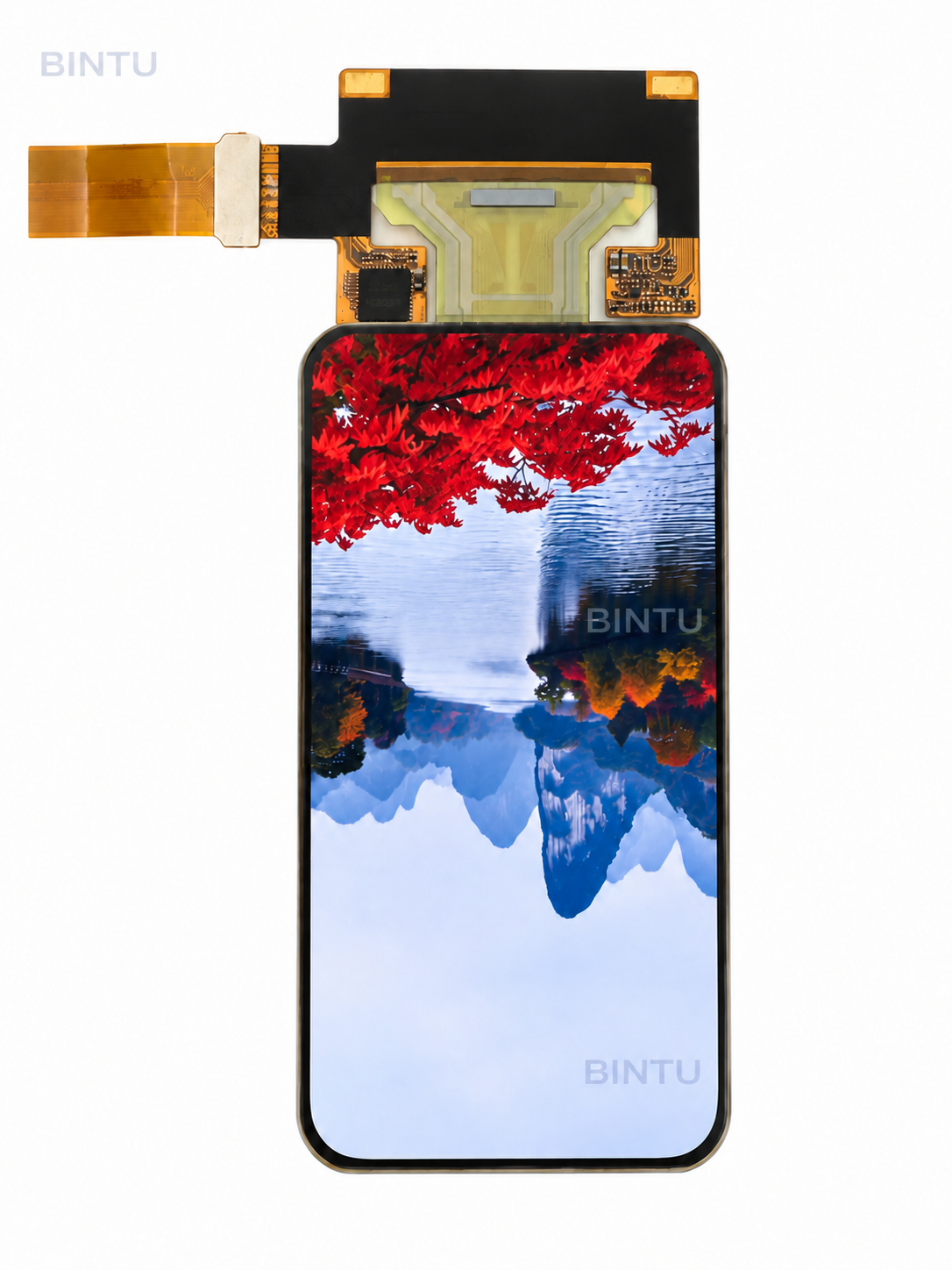
No. It is a 3.26-inch flexible AMOLED module reference with 382 × 720 resolution and real sample media on its product page. Suitability depends on the visible area, host hardware, front structure and intended use. Touch configuration, bend geometry and availability require project confirmation. It is not presented as a qualified robot subsystem.
Yes. Describe the display role and available space. A general project inquiry does not require a BINTU product reference. If you have selected an actual reference, include it so the discussion can use the relevant information.
Start your display review
Share the display role, visible window and host requirements for your robot or embedded AI device. BINTU supports AMOLED module selection and display-integration review. A product reference is optional for a general custom display RFQ.
Explore Flexible AMOLED Display →
3.26-inch AMOLED application concepts: Tall AI speaker → · Compact AI speaker →